




Your preferences profile is the beating heart of LustLink. Only when you fill out your desires and preferences honestly and in detail can our algorithm find genuine common ground with your partners in the “Comparison” feature.
Here you will learn how the input process works, what response options are available to you, and what the individual symbols mean.
The Psychological Framework: Your Safe Space
Before you get started, here are a few important thoughts:
- Make yourself comfortable: Take your time answering. Filling out your profile is not a test, but an exciting journey into yourself. Settle onto the couch, grab a drink, and create a relaxed atmosphere.
- No Pressure: You don’t have to fill out everything in a single day. You can pause at any time and resume later.
- Discover & Explore: If you come across topics while browsing that surprise you or spark your curiosity—wonderful! Research further, explore new concepts, and simply enter your answer later. You can also use our knowledge base (Glossary, Magazine) to learn more.
- Respect Your Boundaries: Do you find something shocking or completely unappealing? Simply swipe past it quickly or tap “No”. It is completely natural that not every practice is meant for every person.
- Question Yourself: Sometimes we stumble across desires we have previously suppressed. Give yourself permission to look at them honestly and perhaps discover entirely new facets of yourself. LustLink is completely judgment-free.
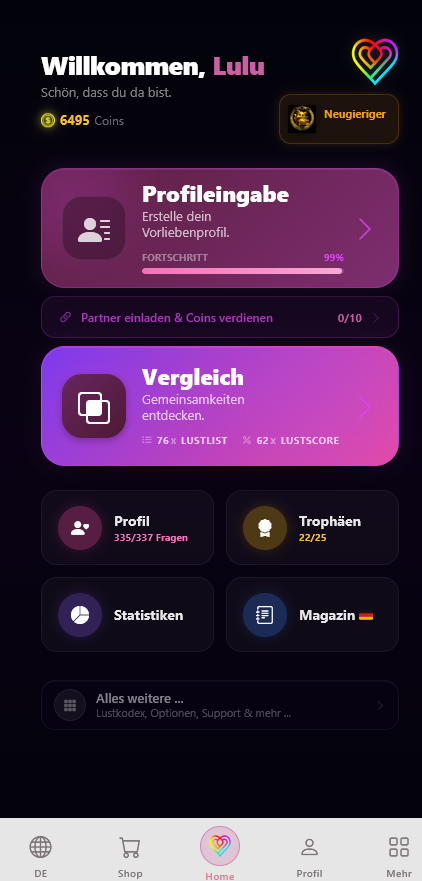
The Path to Your Profile
On your Dashboard, right at the top, you will find the tile for profile entry. It not only shows you where to start, but also continually displays your current progress.
Simply click on the tile to reach the comprehensive category overview. Here, all practices are logically sorted—from "BDSM" to "Locations".
Categories & List
As soon as you open a category (e.g., "BDSM"), you will see all associated preferences in a clear list.
Here, you can instantly see at a glance which items you have already answered (and with which answer) and which are still pending. Simply click on an entry to jump to the detailed view.
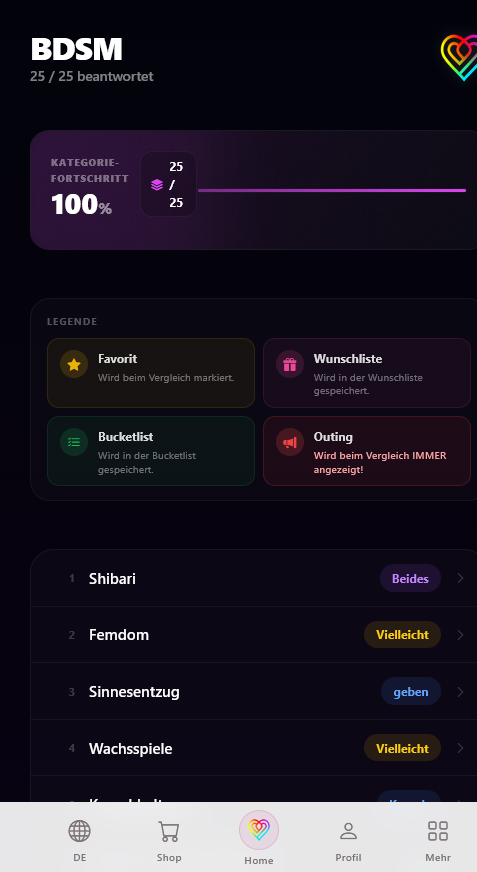
The Detailed View: Your Response Options
In the detailed view, you will find not only a helpful explanation of the respective practice, but also all the options needed to express your preferences precisely. We distinguish between two different response types:
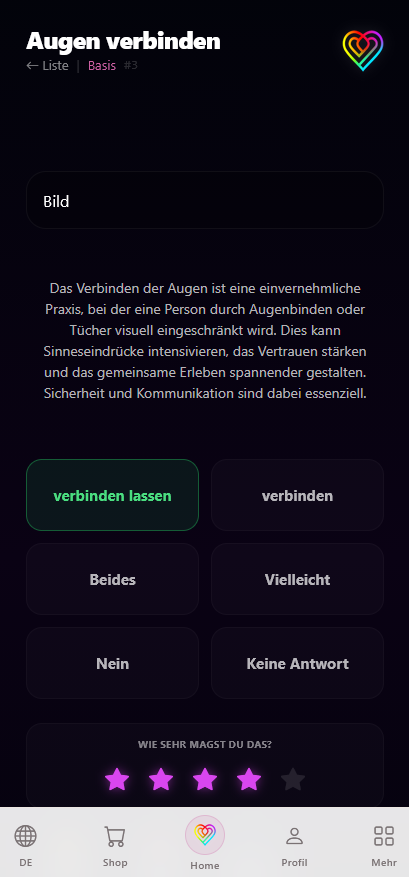
1. Role Distribution
For many practices (such as "Blindfolding"), there is a distinct distribution of roles:
- Active: You take on the executing role.
- Passive: You take on the receiving role.
- Both: You desire both sides.
2. General Interest
Where there are no specific roles (e.g., "Locations"), you choose instead:
- Yes: You are excited about it.
- Maybe: Imaginable under certain circumstances.
- No: This is a clear taboo for you.
★ Intensity
When answering "Yes", "Active", "Passive", or "Both", you can indicate how important this preference is to you using the 5 stars. 1 star means "Nice to have", while 5 stars signify an "Absolute must-have!"
The Additional Symbols
In addition to your standard answers, you can assign special attributes to any preference. These symbols help you highlight specific desires and influence how they are displayed in the match.
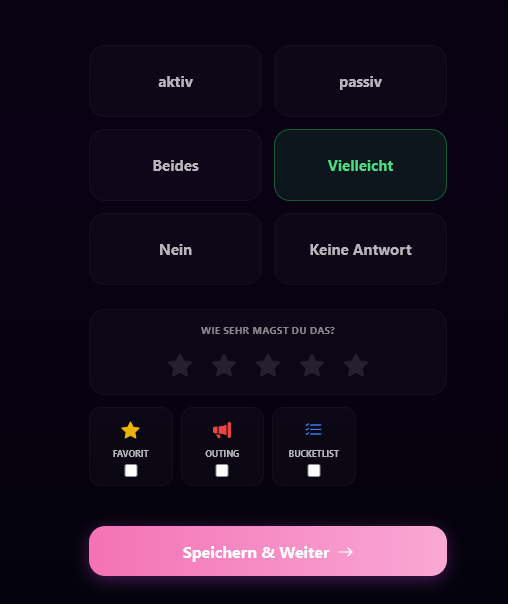
If you mark a preference as an Outing, it will ALWAYS be openly revealed to your partner in the results, regardless of what they answered! Use this for absolute dealbreakers or profound desires that you wish to communicate with total transparency right from the start.
"Save & Continue" to move directly to the next question!
Helpful article?
Loading ratings...